
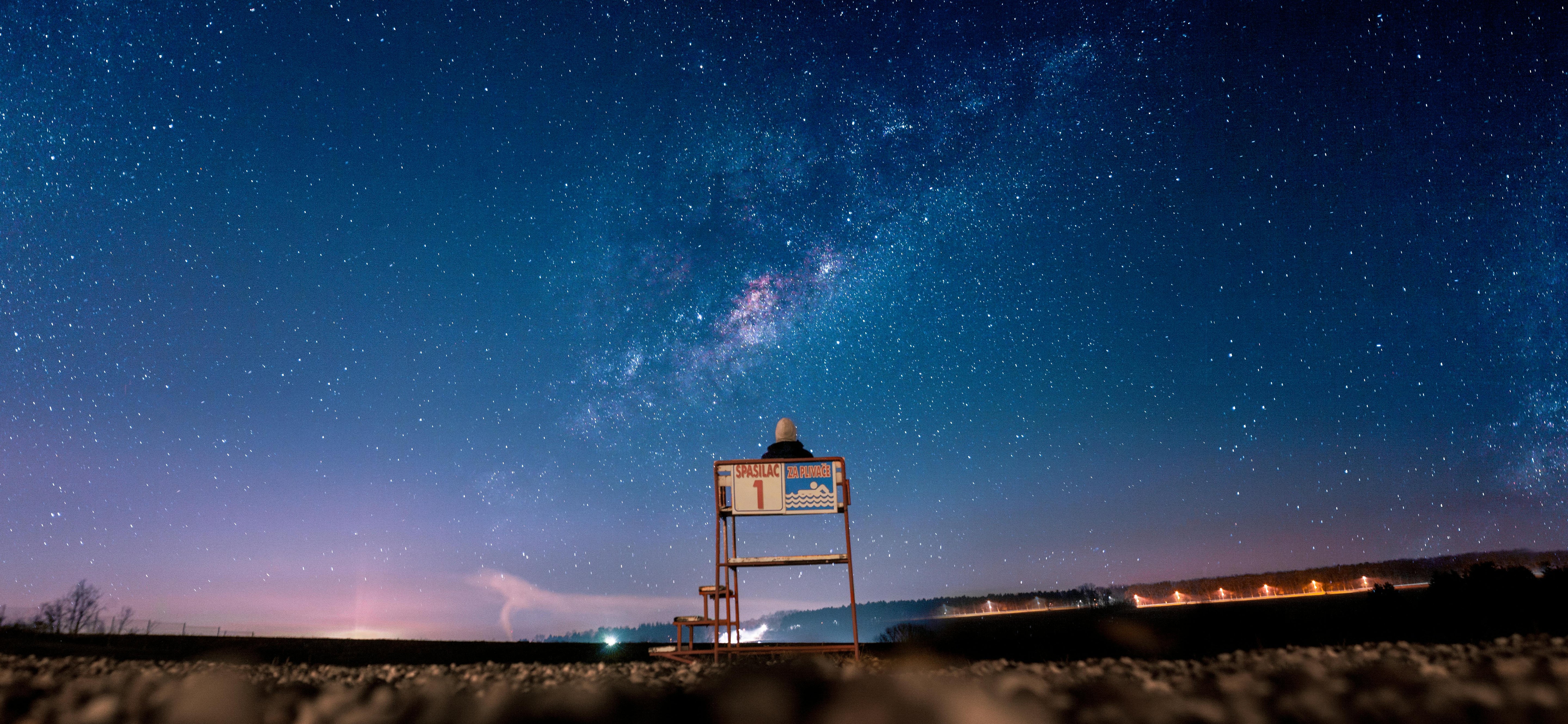
Panorama shots captivate with their immense breadth and depth of detail, be it stunning landscapes, urban skylines, or interiors. However, to professionally capture such images, a reliable tripod is essential. It provides stability and precision that handheld shots often lack. In this post, we share practical tips on how to create breathtaking panoramas with our tripods. Ideal for beginners and professionals alike – discover the world of panoramic photography with equipment that perfectly supports your creativity.
Which features are important for creating panoramas?
When it comes to panoramic shots, seamless transitions between individual images are key. Our tripods offer precisely the functions that ensure precision and stability. Here are the most important aspects:
- 360° panoramic function or ball head with scale: A head with smooth 360-degree rotation is essential. Models with an integrated panoramic scale make it easier to precisely control image overlap – ideally 20–30% to avoid stitching errors.
- Spirit level and leveling base: Built-in spirit levels ensure your tripod is perfectly horizontal. This minimizes distortion and parallax errors.
- Stability and load capacity: Robust materials like carbon or aluminum prevent vibrations caused by wind or touch. Make sure the load capacity exceeds your camera plus lens.
- Height adjustment and nodal point options: Adjustable legs allow for flexible positioning. Supplement with our Panorama Head 200 Mark II for parallax-free shots at the nodal point.
Our models like the Lion Rock Pro with a special lock at the base for effortless 360° panoramas or the compact C-series tripods with a panoramic ball head offer these features and are perfect for on the go.

How do you achieve precise tripod alignment for panoramic shots?
Alignment is the key to flawless panoramas. Inaccurate settings lead to visible seams or distortions. With our tripods, this is particularly easy:
- Horizontal positioning: Set up your tripod on a level surface and use the integrated spirit levels to balance all axes. Start with the legs and adjust the center column.
- Mount camera at nodal point: Mount the camera so that it rotates around the nodal point – if necessary, add our Panorama Head 200 Mark II to avoid parallax.
- Adjust rotation axis: Use your head's panorama mode for controlled rotations. Plan the sequence: Start on the left, rotate gradually to the right, and ensure consistent overlap. Fix manual exposure and focus for consistency.
- Additional tips: Avoid movement during shooting, use a remote shutter release, and shoot in portrait orientation for more flexibility in multi-row panoramas.

What are the tips for post-processing panoramic shots?
The magic often happens in post-production. Here you transform individual images into a coherent panorama. Important tips:
- Choose software: Adobe Photoshop or Lightroom are ideal for beginners – use the "Photomerge" function. For professionals, PTGui or Hugin with manual control over control points are suitable.
- Prepare images: Import the series, correct exposure, white balance, and distortions uniformly. Identical settings smooth transitions.
- Stitching process: Let the software automatically stitch the images. Check for artifacts and adjust manually – e.g., fix distortions with the warp tool. Crop irregular edges.
- Refinement: Improve contrast, sharpness, and colors. Save as TIFF for quality or JPEG for web. Experiment with different projections (e.g., cylindrical) for natural looks.
With these steps, your panoramas will become masterpieces – ready for print or social media.
Conclusion
With suitable tripod functions and these tips, you'll elevate your panoramic shots to a new level. Try it out and discover the vastness of the world! Check out our tripods – perfect for your next adventures. Do you have your own experiences? Share them in the comments or show us your pictures on Instagram with the hashtag #rolleimoments!

Share:
Why an 85mm prime lens should be your first lens
Prime Lens or Zoom – Which is better for beginners?